Instruments Review
Behringer X-TOUCH Review: Nine Motorized Faders for Your DAW
The Behringer X-TOUCH Compact brings nine touch-sensitive 100 mm motorized faders, 16 rotary controls, Mackie Control emulation and a Dual-Layer mode to a desktop-sized control surface over USB MIDI. This editorial review covers what the listing confirms about DAW, instrument and lighting control, and the specs it leaves unpublished.
Our Verdict
Research Score 67/100The Behringer X-TOUCH Compact is a focused mixing surface rather than a playing instrument. The listing confirms nine fully automated, touch-sensitive 100 mm motorized faders, 16 rotary controls, Mackie Control emulation, a Dual-Layer mode that swaps between DAW and instrument control, and pre-configured elements that work on connection. What it does not publish is just as relevant: there are no keys or pads, the rotary type, power supply, weight and secondary ports are unstated, and no software is bundled. Judged on the review's keyboard-oriented scale, it earns 67 out of 100, with its strength concentrated in the controls category. For lower mid-range money, it is one of the few ways to get motorized faders onto a small desk.
Editorial research score based on published specifications and documented features, not a customer rating or lab test.

Behringer
Behringer X-TOUCH
Best for: Producers and mix engineers who want motorized faders and a bank of rotaries under their hands for DAW mixing, instrument control and live automation without a large console footprint.
Skip it if: You need a keyboard or pads, or you want a surface whose power requirements, weight and connections are fully documented before purchase.
Check Price on AmazonWe may earn a commission at no extra cost to you.
Listing verified: October 2026
Who Should Buy It
Buy it if
- Home studio mixers tired of drawing automation with a mouse
- Live performers who control effects and lighting over MIDI
- Users of Mackie Control compatible DAWs who want quick setup
- Producers with limited desk space who still want nine faders
Skip it if
- You need to play notes or trigger drums from the same device
- Your DAW lacks Mackie Control support and you dislike manual MIDI mapping
- You must confirm power and weight for a mobile rig
Key Specifications
| Keys | None, this is a fader control surface |
| Key type | Not applicable |
| Pads | Not published in listing |
| Knobs and faders | 9 motorized, touch-sensitive 100 mm faders and 16 rotary controls |
| DAW integration | Mackie Control emulation mode plus standard MIDI; Dual-Layer mode for DAW and instrument control |
| Bundled software | Not published in listing |
| Connectivity | USB MIDI; other ports not published in listing |
| Power | Not published in listing |
| Weight | Not published in listing |
| Included accessories | Not published in listing |
Overview
The Behringer X-TOUCH Compact is a USB MIDI control surface built around nine motorized faders and sixteen rotary controls, sold in the lower mid-range tier. It has no keys and no published pads, so it belongs to the mixing side of the MIDI controller family rather than the playing side. The listing describes it as a universal remote for DAWs, instruments, effects and lighting.
Motorized faders are the feature that justifies the purchase. When the DAW plays back automation, the faders move to match, and when you touch one, the touch sensor hands control back to you. That feedback loop is why engineers prefer motor faders to the static ones found on budget keyboards.
This is an editorial research review drawn from the published listing. Several practical facts, including the power supply, weight, rotary type and any ports beyond USB, are not published, and they are flagged as unknown throughout rather than assumed.
Keys, Pads and Feel
There are no keys on the X-TOUCH Compact, and the listing does not publish any pads. Note entry, chords and drum programming all need a separate keyboard or pad controller, which is normal for a dedicated fader surface. The Keys and Pads score in this review is low for that reason, not because of any flaw in the faders.
The feel that matters here is fader feel. Each of the nine faders is 100 mm long, which gives a full-length throw for fine automation rides, and each is touch sensitive, so the DAW knows the moment a finger lands. The listing describes them as fully automated, meaning they respond to playback as well as to your hand.
The sixteen rotary controls are listed without further detail. The listing does not say whether they are endless encoders with LED rings or fixed-range potentiometers, and that distinction affects how smoothly they take over a parameter from the DAW. Buyers who need endless encoders should confirm it in the manual.
Knobs, Faders and DAW Integration
Nine motorized faders map naturally to eight channel strips plus a master, the layout that Mackie Control compatible DAWs expect. The listing confirms a Mackie Control emulation mode, which lets the surface appear to the DAW as a known device and take over mixer, transport and plug-in functions with minimal mapping. Most major DAWs support that protocol.
The Dual-Layer mode is the clever part. It lets you switch the whole surface between a DAW control layer and an instrument control layer, so the same faders and rotaries can mix a session one moment and drive a software synth or a lighting rig the next. That effectively doubles the control count without adding hardware.
Pre-configured control elements mean the surface arrives with sensible default assignments, so it works on first connection rather than after an afternoon of MIDI learn. Beyond Mackie Control, standard MIDI messages allow manual mapping for instruments and effects, which is how lighting and non-DAW software are addressed.
Software, Sounds and Features
No bundled software is published in the listing. There is no DAW, no plug-in bundle and no sample pack, which is consistent with a control surface aimed at people who already have a production setup. The value is in hardware control, not in a software box.
Mackie Control emulation is itself the key software feature, because it allows a single surface to integrate with every compatible production program without separate drivers. The listing describes this as seamless integration, and in practice it depends on the DAW selecting the right control surface profile.
The listing does not mention a dedicated editor application for customizing assignments. Since the surface sends standard MIDI, most customization can be done from the DAW side, but users who want to save and recall complex layouts should check Behringer's documentation for the Compact before relying on that workflow.
- Mackie Control emulation mode
- Dual-Layer mode for DAW and instrument control
- Nine fully automated, touch-sensitive 100 mm faders
- Sixteen rotary controls
- Pre-configured control elements out of the box
Build, Design and Portability
Compact is in the name, and the published control count tells the story: nine faders and sixteen rotaries in a desktop unit rather than a console-width surface. Dimensions are not published, but a nine-fader surface will naturally take up more depth than a mini keyboard and less width than a full mixing controller.
Weight is not published either. Motorized faders add mass compared with passive controls, and buyers who plan to carry the Compact to gigs should expect something heavier than a comparably sized keyboard controller. A padded bag or case is sensible for a unit with moving parts on its top panel.
Build materials are not described in the listing, so the housing is unconfirmed. Behringer's control surfaces are generally designed for desktop and studio use, and fader caps and rotary knobs should be protected in transit. Nothing in the listing addresses rack mounting or stand options.
Connectivity and Power
USB MIDI is the only connection confirmed in the listing. It carries both control data to the computer and motor positions back to the faders, so a single cable handles the DAW relationship. Whether the port also powers the unit is not stated.
Power is not published. Nine motorized faders typically need more current than a USB port supplies, so an external power supply is a reasonable expectation, but the listing does not confirm an adapter, its voltage or whether one is included. Check the box contents before assuming you can run it from a laptop alone.
Five-pin MIDI ports and a footswitch input would broaden the Compact's usefulness with hardware instruments and lighting controllers, but neither appears in the listing. The universal control claim in the listing therefore rests on USB MIDI and the software on the other end of it.
Setup and Daily Use
Setup on paper involves connecting the USB cable, choosing Mackie Control mode, and adding the surface as a control surface in the DAW's preferences. Because the elements are pre-configured, the mixer should respond immediately, with faders jumping to the current channel levels and the transport following the buttons.
Daily use is where motor faders change habits. Instead of drawing volume curves with a mouse, you ride the fader during playback and the DAW records the move; on the next pass, the fader replays it and you can grab it to overwrite. The touch sensors make that handoff clean.
Dual-Layer mode becomes a routine switch: mix on one layer, then flip to the instrument layer to shape a synth with the rotaries. The learning curve is in understanding how your particular DAW banks channels across eight strips, which is a protocol habit rather than a Behringer quirk.
Who Should Buy It
Home and project studio mixers are the natural buyers. If you already own a keyboard controller and want to stop automating with a mouse, nine motorized faders in a desktop footprint address that problem directly, and the Mackie Control mode keeps setup short.
Live performers who run effects, backing tracks or lighting software over MIDI are the second group. The listing names lighting applications specifically, and the Dual-Layer mode lets one surface serve two roles during a show. Pre-configured elements reduce the risk of a dead control on stage.
Anyone who needs to play notes should buy a keyboard controller instead, or alongside. The X-TOUCH Compact has no keys or published pads, and products like the Novation Launchkey Mini or the Akai MPK Mini MK3 cover performance duties that this surface was never meant to handle.
Alternatives Worth Considering
Within Behringer's own range, the X-TOUCH ONE offers a single motorized fader for buyers who mainly want transport control and one channel at a time, while the X-TOUCH EXTENDER adds eight more motorized faders with scribble strips for people building a larger surface. The full-size X-TOUCH adds scribble strips and a larger layout above the Compact.
If you want faders and keys in one unit, the M-Audio Oxygen Pro and the Nektar Impact LX pair a keyboard with non-motorized faders and DAW transport. They cannot follow automation the way motor faders do, but they cover playing and basic mixing in one box.
For a hybrid approach, pair the Compact with a small keyboard such as the Arturia MiniLab 3 or the Native Instruments Komplete Kontrol M32. That combination gives motorized mixing and instrument control at a combined cost that stays in the mid-range.
Verdict
The Behringer X-TOUCH Compact earns its place on a desk with nine 100 mm touch-sensitive motorized faders, sixteen rotary controls, Mackie Control emulation and a Dual-Layer mode, all confirmed in the listing. Pre-configured elements mean it works on connection rather than after a mapping session.
The score of 67 out of 100 reflects a keyboard-oriented rubric applied to a fader surface. It loses most of its points in the Keys and Pads category it was never built to win, and it gives up a few more because the power supply, weight, rotary type and secondary ports are not published.
For a lower mid-range control surface, that is a strong result. Mixers who want to feel automation under their fingers without buying a console will find it hard to match the Compact's fader count for the money.
Strengths and Limitations
Strengths
- Nine 100 mm motorized faders with touch sensing
- 16 rotary controls on a compact footprint
- Mackie Control emulation for broad DAW support
- Dual-Layer mode doubles the usable control set
- Pre-configured mapping works out of the box
Limitations
- No keys or pads for playing parts
- Power supply, weight and full port list not published
- No bundled software described
- Rotary control type is not stated in the listing
How We Scored It
Scores reflect published specifications, documented features and value against the alternatives below. They are editorial research scores, not laboratory measurements.
Alternatives to Consider

Roland A-49-BK 49-Key MIDI
Keyboard players who want a slim, serious 49-key keybed with a few real-time controls and a single USB cable, not a pad and fader workstation.
Read the Roland A-49-BK 49-Key MIDI review →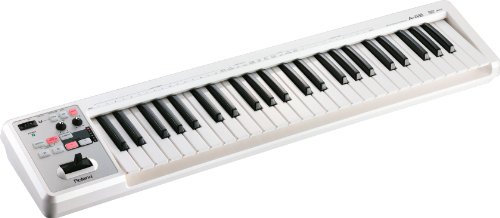
Roland A-49-WH 49-Key MIDI
Players who want a slim, bus-powered 49-key controller with proper full-size keys for playing parts rather than a pad and fader surface for mixing.
Read the Roland A-49-WH 49-Key MIDI review →
Behringer X-TOUCH EXTENDER X-TOUCH EXTENDER
Studios that already run a Mackie Control or HUI surface and want eight more labelled motorized faders, or engineers who want an eight-channel motorized surface with Ethernet.
Read the Behringer X-TOUCH EXTENDER X-TOUCH EXTENDER review →Questions Buyers Ask
Behringer X-TOUCH
See the current listing, price and included accessories.
About This Review
Mandrillis Team
The Mandrillis editorial team researches and compares audio and music gear using manufacturer documentation, verified specs and real buyer feedback, so you can make a confident purchase without wading through marketing claims.
Read our full research methodology.